

App Store downloaders nag you for permissions and five-star reviews, and the Apple Shortcuts route breaks every time TikTok rotates an API endpoint. If you just want to download TikTok on iPhone or Android right now, the cleanest path is a website that runs in the browser you already have open. Paste a link into Snap3S and you get a clean MP4 in about ten seconds — no install, no login, no permissions.
In a hurry? Paste your TikTok URL into Snap3S and your no-watermark file is ready in 10 seconds. No app, no sign-up, no pop-up ads.
Download TikTok now →Before you start: copy the TikTok video link
Every method below starts the same way. Open the TikTok video you want, tap Share, then tap Copy Link. That is it — the link is now on your clipboard, ready to paste.
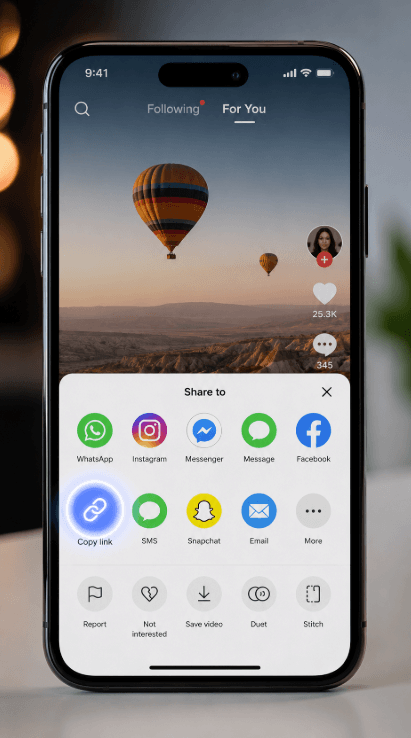
The link will start with either https://www.tiktok.com/ or the short https://vm.tiktok.com/ form. Both work in Snap3S, so you never have to clean up or edit the URL first.
How to download TikTok on iPhone (Safari, no app)
iPhone users are our biggest group of visitors, because the App Store has no official TikTok downloader and Apple Shortcuts keep breaking. Here is the path that always works:
- Open the TikTok video and tap Share → Copy Link.
- Open Safari and go to
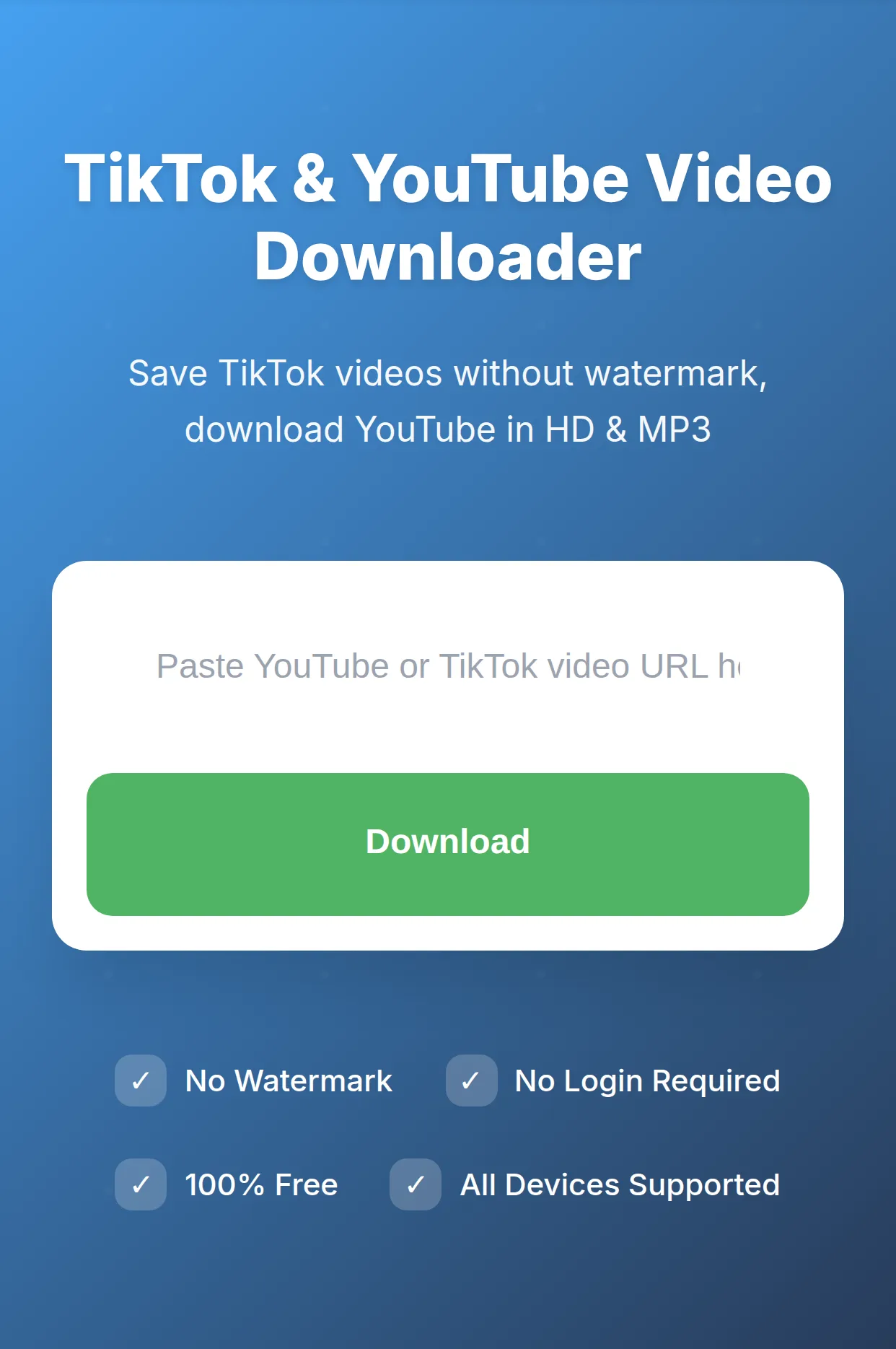
snap3s.com. - Paste the link into the input box and tap Download.
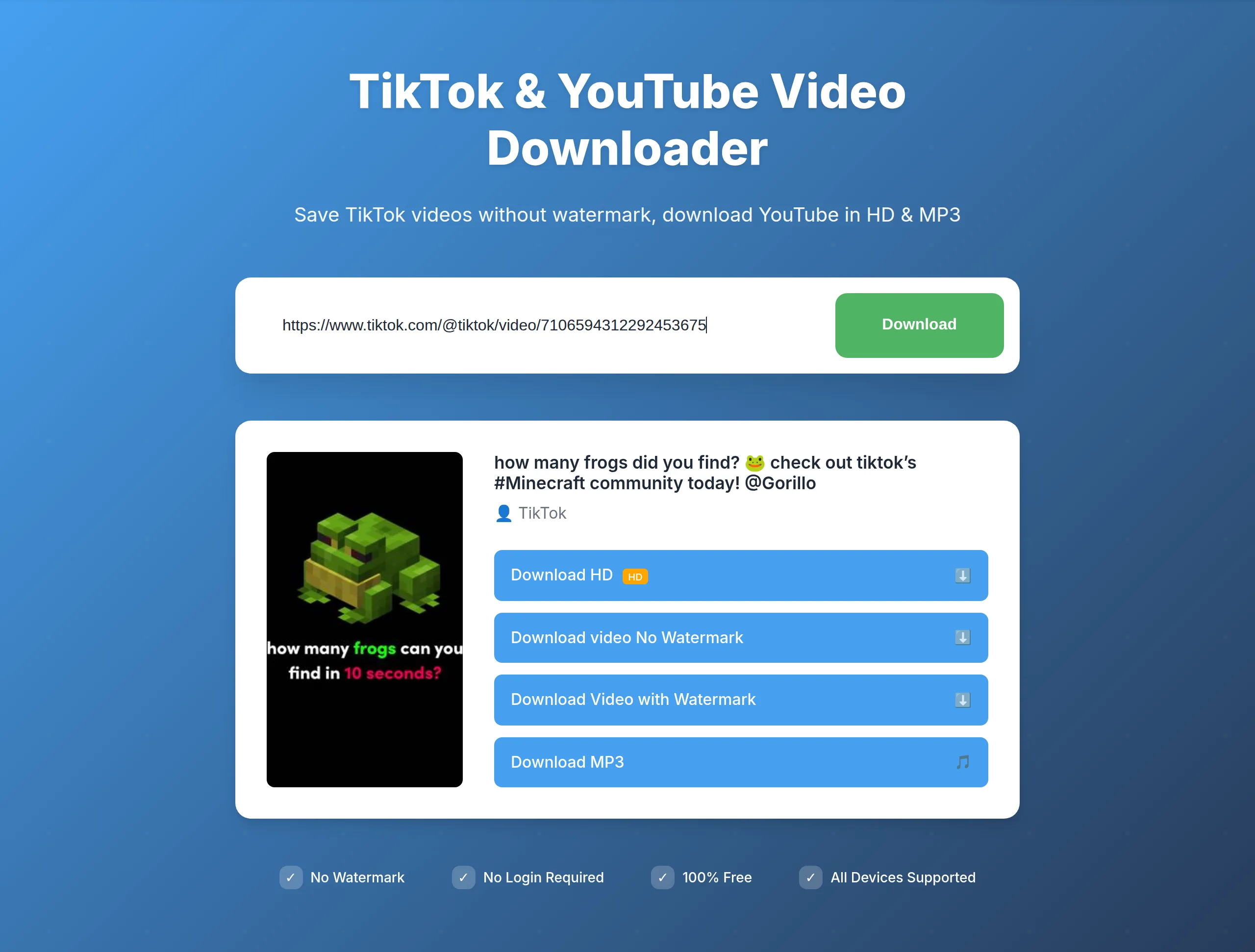
- Choose MP4 — No Watermark.
- When Safari asks, tap Download in the dialog. The file lands in Files → On My iPhone → Downloads.
- (Optional) Long-press the file and tap Save to Photos to move it into your Camera Roll.
Where is the file on my iPhone?
Open the Files app and go to Browse → On My iPhone → Downloads. Every video you save through Safari lands there, and you can play, rename, or share it straight from that folder. If you want it in your gallery, long-press the file and choose Save to Photos. Apple explains the Files app in more detail in Apple's Files app guide.
Does it work on Chrome or Firefox on iPhone?
Yes — the steps are identical. Because the download is handled by the browser and not by an app, Chrome and Firefox on iPhone behave exactly like Safari. If you cannot find the saved file, it is still in Files → On My iPhone → Downloads, regardless of which browser you used.
Ready to try it? Open the Snap3S TikTok downloader in a new tab and paste your link. This guide will still be here when you come back.
Download TikTok now →How to download TikTok on Android (Chrome)
Android handles the same job a little more smoothly, because the Downloads folder is automatically indexed by Google Photos.
- Tap Share → Copy Link in TikTok.
- Open Chrome and go to
snap3s.com. - Paste the link, tap Download, and choose MP4 — No Watermark.
- The file saves to your Downloads folder — visible in any file manager and in the Download album in Google Photos.
- Long-press the file to share it straight into CapCut, WhatsApp, Instagram, or Telegram.
Samsung, Xiaomi, or OnePlus: anything different?
No. The behavior is identical across Samsung, Xiaomi, OPPO, OnePlus, and stock Android, because the actual download is done by Chrome's downloader, not by your phone's system UI. If you cannot find the file, open the Files app and check the Downloads folder, or look in the Download album inside Google Photos.
Common reasons the download doesn't work (and the fix)
If a save fails, it is almost always one of these — and each has a quick fix:
- The link is from a private account. Only public videos can be downloaded. Private and friends-only posts are blocked by TikTok's API, and we do not try to bypass that.
- The video is a duet or stitch. The second creator's watermark is baked into the recorded pixels, so no downloader can remove it. Cropping the frame is the only option.
- The browser blocked the download. Tap the small download icon in the address bar (or the notification prompt) to approve it, then the file will save normally.
- Your browser is out of date. Update Safari or Chrome to the latest version — old builds sometimes mishandle the download dialog.
Save TikTok audio or slideshow posts
Snap3S is not limited to video. After you paste a link, you can also grab the sound on its own as an MP3, which is handy for ringtones or overlaying your own footage. If the post is a photo carousel, our TikTok slideshow guide walks you through saving each image plus the audio. Want a totally clean file with no logo? Read the remove the TikTok watermark guide. And if you are pulling songs from other platforms, the YouTube to MP3 converter does the same job for music videos.
Frequently asked questions
Short answers to the questions we get most. If yours is not here, just paste a link into Snap3S — it usually answers itself.
Can I download TikTok videos without installing an app?
Yes. Snap3S runs entirely in your browser — Safari, Chrome, or Firefox. There is nothing to install, no account to create, and no permissions to grant. Paste the link, tap Download, and the file saves to your phone.
Will the downloaded video have a watermark?
No. Snap3S pulls the original source video from TikTok's servers rather than the watermarked render served to the public feed, so your MP4 has no logo, no overlay, and no username stamp.
How do I save a TikTok video to my Camera Roll on iPhone?
Open the Files app, go to On My iPhone → Downloads, long-press the video, and choose Save to Photos. It then appears in your Camera Roll like any other video.
Why can't I find the file on my Android phone?
Check the Downloads folder in your Files app, or open the Download album inside Google Photos. Chrome always saves TikTok videos there regardless of which Android brand you use.
Is Snap3S safe to use on my phone?
Yes. There is no login, no app, and no permission request. The download happens inside your browser, we do not store your videos, and we do not share any data with TikTok.
Can I download multiple TikTok videos in a row?
Yes. Snap3S is free and unlimited — paste as many links as you want, one after another, with no daily cap.
Try Snap3S now → Paste any TikTok URL and save a clean, no-watermark MP4 to your iPhone or Android in under ten seconds. No app, no sign-up.
Open the Snap3S TikTok downloader